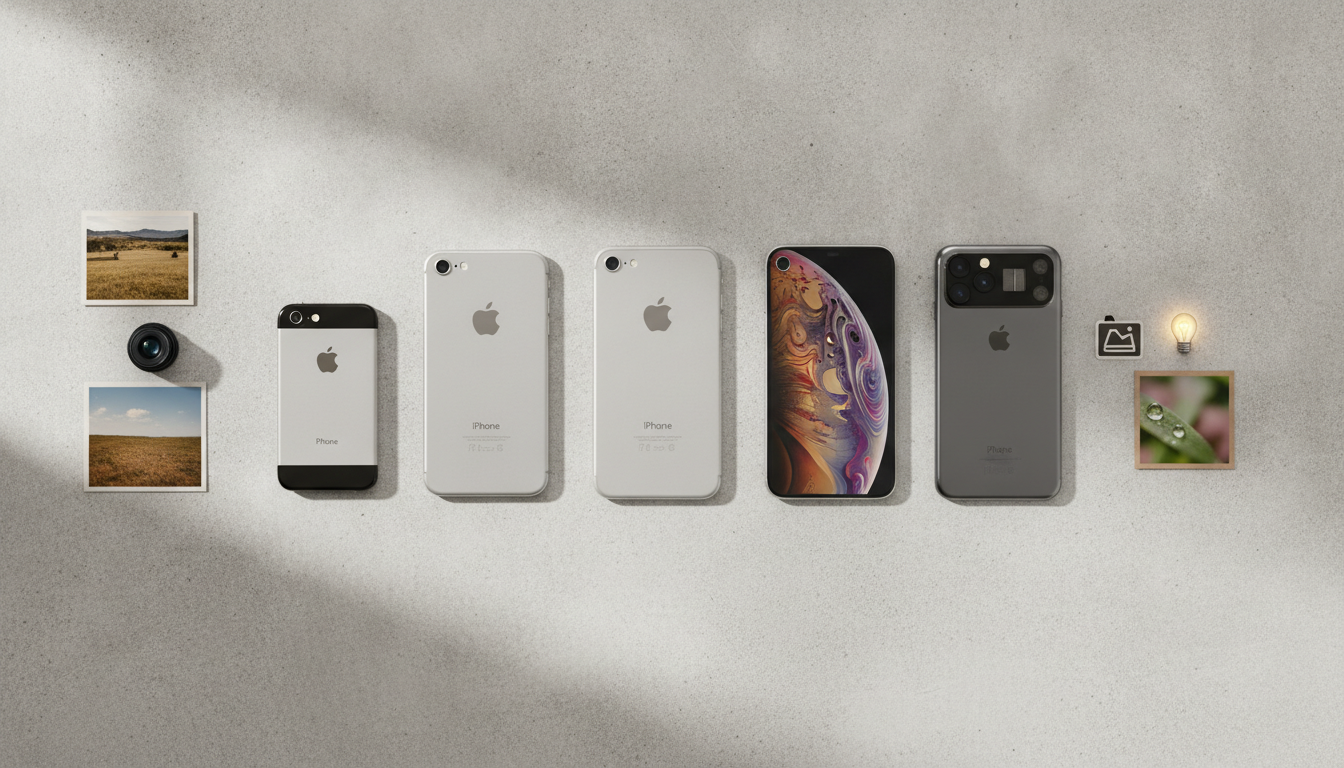
The iPhone has become synonymous with high-quality mobile photography. Each new generation brings not just better hardware, but also smarter software, making it easier for anyone to capture stunning images and videos. Apple’s dedication to camera innovation has changed how people document their lives, unlocking creative possibilities that were once limited to professional equipment. In this guide, we'll explore how the iPhone camera has evolved, the role of computational photography, new professional tools, and how it all fits within the Apple ecosystem.
From a Single Lens to a Versatile Camera System
The original iPhone camera, introduced in 2007, featured a simple 2-megapixel sensor. It was basic, with no flash or autofocus, and mostly suited for casual snapshots. Over the years, Apple has steadily improved both the hardware and design, leading to the sophisticated multi-camera systems of today’s Pro models.
- Ultra-Wide Lens: Lets you capture expansive landscapes, group photos, and architecture from tight spaces. With its 120-degree field of view, it brings a dramatic perspective to everyday shots.
- Wide Lens: The default lens for most photos, delivering sharp detail, accurate color, and excellent low-light capability thanks to larger sensors and larger apertures.
- Telephoto Lens: Available on Pro models, the telephoto lens brings distant subjects closer while preserving clarity. It is ideal for portraits, events, and creative framing.
- LiDAR Scanner: Found on select models, the LiDAR scanner enhances autofocus, especially in low light, and supports advanced effects like realistic Portrait mode bokeh and augmented reality experiences.
With these multiple lenses, users can quickly switch perspectives, experiment with composition, and shoot in challenging lighting conditions. The result is a camera system that adapts to whatever story you want to tell.
Computational Photography: Smarter Shots Every Time
Hardware tells only half the story. Apple’s breakthroughs in computational photography have transformed the iPhone into a creative tool that understands your scene and automatically refines it. The A-series chips, in combination with iOS software, power advanced features that work behind the scenes to enhance every image.
- Smart HDR: The camera takes multiple exposures in milliseconds, then blends them to create images with balanced highlights and shadows. Even scenes with tricky lighting (such as sunsets or backlit portraits) look natural and detailed.
- Deep Fusion: In mid to low light, Deep Fusion analyzes every pixel of several frames, selecting the most detailed parts for a richly textured final photo. Fine details in hair, fabric, and surfaces are preserved without looking artificial.
- Night Mode: Automatically activates in dark environments. The iPhone holds the shutter open for longer, using smart algorithms to avoid blurring. This delivers bright, sharp photos in conditions that would defeat most smartphone cameras.
- Photographic Styles (iOS 15 and later): Users can personalize the tone and warmth of photos with preset styles, tailoring the look of every shot while maintaining natural skin tones.
These features mean that even casual photographers can consistently produce images that look polished and vibrant. There’s no need to understand exposure or white balance; the iPhone makes those decisions for you, while still allowing manual control for those who want it.
ProRAW and ProRes: Advanced Formats for Creative Control
Apple hasn’t forgotten enthusiasts and professionals. The introduction of ProRAW and ProRes formats has made the iPhone a legitimate tool for high-end photography and filmmaking.
- Apple ProRAW: Combines the versatility of traditional RAW photography with the benefits of Apple’s computational processing. You get extensive latitude for editing exposure, color, and detail, while still enjoying features like Smart HDR and Deep Fusion. ProRAW files can be edited in the Photos app or exported to desktop applications like Adobe Lightroom and Photos for macOS.
- Apple ProRes: Available on recent Pro models, ProRes is a high-quality video codec used by professionals. It allows for cinematic video capture at high bit rates, making it easier to color-grade and edit footage in professional software.
With these tools, content creators, filmmakers, and photographers can use the iPhone for everything from quick social media projects to professional photo and video shoots.
Integration with the Apple Ecosystem
The iPhone camera is at its best when paired with other Apple devices and services. This integration makes it simple to organize, edit, and share your work across the Apple ecosystem.
- iCloud Photos: Every photo and video you take is automatically uploaded to iCloud and available on your iPhone, iPad, Mac, and even Apple TV. Edits made on one device sync instantly to the others.
- AirDrop: Sharing high-resolution images and videos directly to other Apple devices is fast and lossless. This is invaluable for collaborative projects or quick transfers between devices.
- Photos App: The Photos app on iOS and macOS features similar editing tools, including cropping, filters, color corrections, and more. You can start editing on your iPhone and finish on your Mac using the larger screen and more precise controls.
- Third-Party Integration: Many creative apps, such as Pixelmator, Halide, and Darkroom, take advantage of Apple’s camera APIs, giving photographers even more flexibility and control.
This tightly woven ecosystem empowers users to move projects between devices without losing quality or workflow momentum. Whether you’re editing a photo on your Mac, creating a slideshow on your iPad, or sharing images from an iPhone to an Apple TV, your content is always accessible and up to date.
Privacy and Security in Your Photos
Apple places a strong emphasis on privacy, including how your photos are managed and analyzed. Features like facial recognition, scene detection, and Memories are all processed on-device, ensuring that your private moments stay private unless you choose to share them.
- On-Device Intelligence: All photo analysis, such as recognizing faces, objects, or locations, happens locally on your device. Your photos are not sent to Apple’s servers for processing.
- Protected Albums: Hidden and Recently Deleted albums can be locked with Face ID, Touch ID, or your device passcode, adding another layer of security for sensitive content.
- Sharing Controls: When sharing photos, you can strip metadata such as location before sending, giving you full control over what information goes with your images.
These privacy measures reflect Apple’s broader philosophy: your data belongs to you, and your photos are no exception.
The Future of iPhone Photography
Apple continues to invest in camera innovation. Patents and leaks suggest that upcoming models could include periscope zoom lenses, improved AI-assisted shooting, or new sensor technologies. While specifics remain under wraps, it is clear that Apple intends to push mobile photography forward for both everyday users and professionals.
For now, the current iPhone camera lineup delivers a rich toolset that rivals dedicated cameras for many scenarios. Whether you’re snapping a quick moment or shooting a 4K film, the iPhone provides the flexibility and power needed to express your creativity.