In the ever-evolving Apple ecosystem, the iPad has emerged as a versatile powerhouse, especially when paired with a Mac. As we step into 2026, the seamless integration between iPad and Mac continues to redefine how users approach daily tasks, from creative projects to professional workflows. This article delves into the intricate ways iPad enhances Mac functionality, offering a deeper look at features that boost efficiency and creativity within Apple's closed-loop system.
The Foundation of iPad and Mac Synergy
At the heart of the Apple ecosystem is the effortless connectivity between devices. For iPad users who also own a Mac, this integration isn't just a convenience - it's a game-changer. Apple's design philosophy ensures that iPad and Mac communicate fluidly, leveraging technologies like Bluetooth and Wi-Fi to create a unified experience. Whether you're jotting down notes on your iPad or editing documents on your Mac, the transition feels intuitive and natural.
One of the key enablers of this synergy is iPadOS, which shares a common heritage with macOS. Both operating systems are built on the same secure foundation, allowing for features that let your iPad extend your Mac's capabilities. This isn't about replacing one device with another; it's about creating a complementary setup that maximizes productivity. In 2026, with ongoing updates to iPadOS and macOS, users can expect even tighter bonds, making cross-device workflows smoother than ever.
Exploring Sidecar: Your iPad as a Second Screen
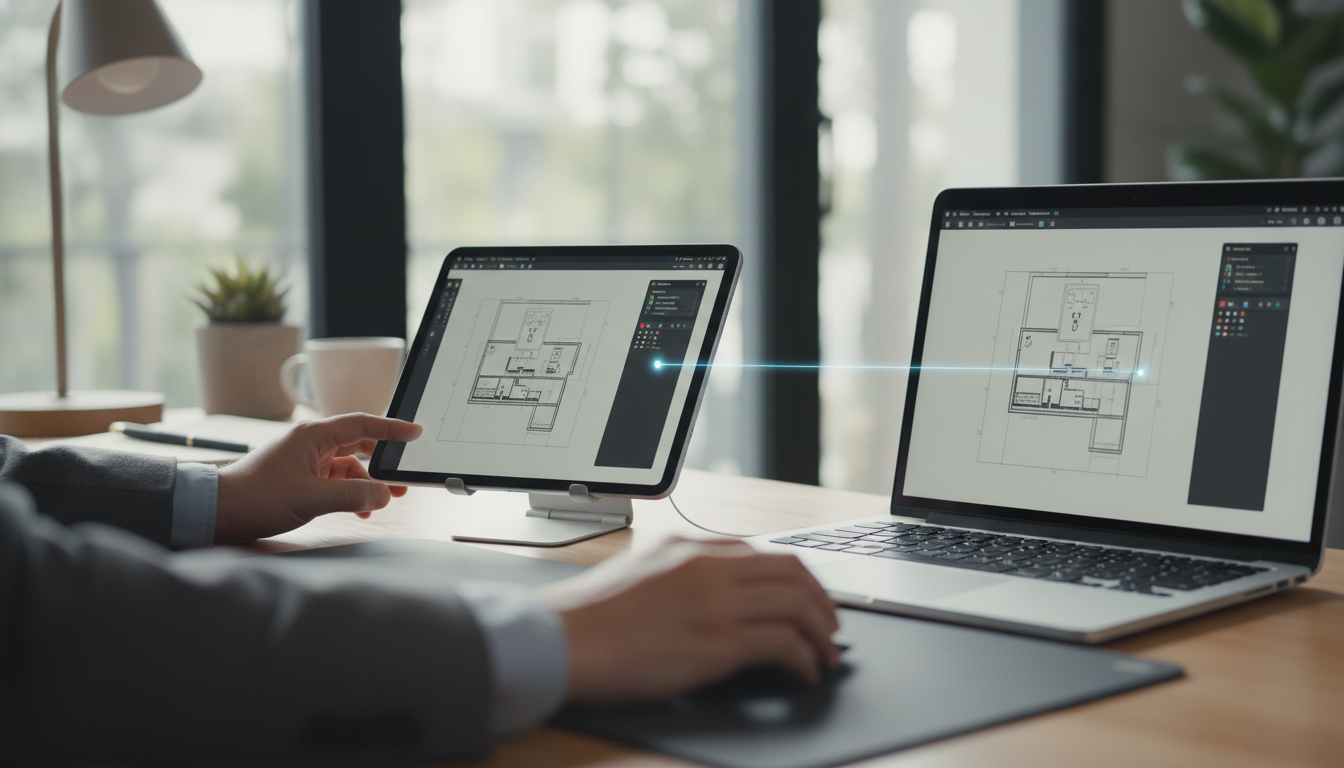
Sidecar, introduced in recent iPadOS updates, transforms your iPad into an external display for your Mac, and it's one of the most underrated features in the Apple lineup. By 2026, enhancements to Sidecar have made it more responsive and feature-rich, allowing users to mirror or extend their Mac's desktop directly onto their iPad. Imagine working on a complex graphic design project on your Mac while using your iPad for precise annotations with the Apple Pencil - this level of integration streamlines multitasking like never before.
To set up Sidecar, simply ensure both devices are signed into the same iCloud account and are in close proximity. Once activated, your iPad functions as a wireless extension, complete with support for the Mac's menu bar and Dock. This feature is particularly beneficial for creative professionals who rely on tools like Adobe apps or Apple's own Final Cut Pro. In 2026, reports from Apple developers indicate improved latency and higher resolution support, making Sidecar feel as seamless as a wired connection.
- Use your iPad for drawing and sketching while your Mac handles the heavy lifting of software rendering.
- Extend your workspace for coding sessions, keeping reference materials on one screen and your code editor on the other.
- Enjoy touch gestures on your iPad that control Mac applications, bridging the gap between touch and traditional input methods.
Handoff and Universal Clipboard: Effortless Task Continuity
Another pillar of iPad-Mac integration is Handoff, a feature that lets you start a task on one device and pick it up seamlessly on another. Whether you're composing an email on your iPad and want to finish it on your Mac, or vice versa, Handoff ensures that your work follows you without missing a beat. In 2026, this feature has been refined to support more apps, including third-party ones that adhere to Apple's guidelines, making it indispensable for users in dynamic environments.
Paired with the Universal Clipboard, Handoff creates a fluid ecosystem where copying content on your iPad automatically makes it available on your Mac. This is powered by iCloud, which synchronizes data across devices in real-time. For instance, if you're researching on your iPad and copy a link, you can paste it directly into a document on your Mac. Apple's commitment to privacy means this data exchange is encrypted and secure, aligning with the company's ethos of user protection.
- Start a presentation in Keynote on your iPad and continue editing on your Mac for a polished final product.
- Copy images or text from Safari on iPad and paste them into Pages on Mac without any interruptions.
- Leverage Handoff for phone calls via iPhone integration, managing communications across your iPad and Mac effortlessly.
iCloud and Shared Data Management
iCloud serves as the backbone for data synchronization in the Apple ecosystem, ensuring that files, photos, and even app data are accessible across your iPad and Mac. By 2026, iCloud has expanded its capabilities with more storage options and faster syncing speeds, making it easier to manage large files without lag. This integration not only saves time but also promotes a clutter-free digital life, where your iPad and Mac act as extensions of the same storage system.
For example, with iCloud Drive, documents created on your iPad are instantly available on your Mac, and vice versa. This is particularly useful for collaborative projects where multiple Apple devices are in play. Apple's emphasis on optimized storage means that only necessary data is synced, helping users maintain performance on both devices. As we look ahead, potential updates could include even more granular control over what gets shared, enhancing user customization.
Tips for Optimizing iPad and Mac Workflows
To truly harness the power of iPad and Mac integration, users should adopt best practices that align with Apple's ecosystem. Start by ensuring all your devices are running the latest versions of iPadOS and macOS; this guarantees access to the newest features and security patches. Regularly update your apps to take advantage of cross-device compatibility.
Customize your settings for better interoperability. For instance, enable Handoff in System Settings on both devices to streamline task switching. Use the Continuity Camera feature to take photos with your iPhone or iPad and import them directly into Mac apps like Photos or Preview. In 2026, with advancements in AI-driven suggestions, your devices might even recommend optimal workflows based on your usage patterns.
- Organize your iCloud storage to prioritize essential files, ensuring quick access across devices.
- Experiment with keyboard shortcuts that work across iPad and Mac for faster navigation.
- Invest in accessories like the Magic Keyboard for iPad to mimic a Mac-like experience, enhancing portability and productivity.
The Future of Integration in the Apple Ecosystem
As we conclude, the integration between iPad and Mac in 2026 represents a leap forward in Apple's vision for a connected user experience. This synergy not only boosts productivity but also fosters creativity and efficiency in ways that were unimaginable a decade ago. By leveraging these features, users can create a personalized workflow that adapts to their needs, all within the secure and innovative Apple ecosystem.
Whether you're a student, professional, or casual user, the bond between iPad and Mac is a testament to Apple's dedication to seamless technology. As new updates roll out, we can expect this integration to evolve further, solidifying the iPad's role as an indispensable companion to the Mac.